
WriteO Learning Guide: Moodboard
Learn how to build and use a Moodboard in WriteO to collect inspiration, organize ideas, and visually develop your story.
Step 1: Create a Moodboard
Open your novel and navigate to Moodboard. Create a new board and give it a name that fits your story.
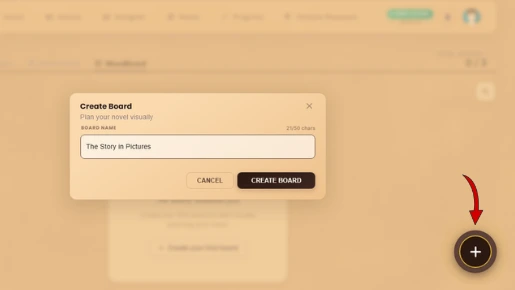
💡 Tip: Give your moodboard a name related to your story or project so you can easily identify it later.
Step 2: Add Content
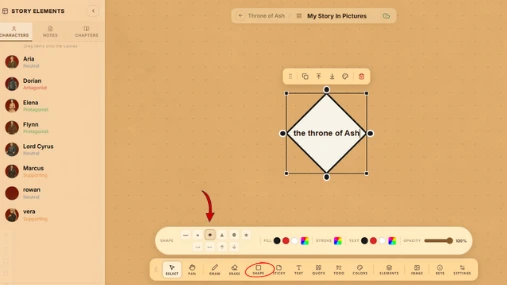
Add images, text, and other references that inspire your story. Use them for characters, settings, scenes, or visual ideas.
Step 3: Use Polaroid Frames
Turn images into Polaroid frames to give your board a scrapbook-style feel. Arrange them alongside related story ideas.
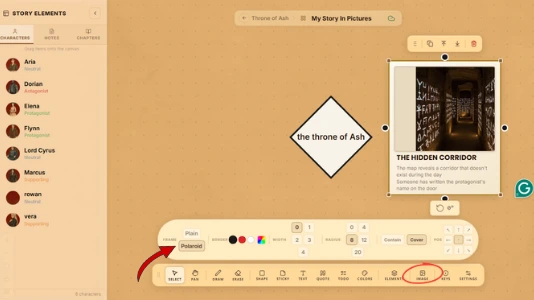
💡 Tip: Click on an image to explore different Polaroid frame styles and adjustment options. Choose a frame that fits your moodboard and adjust the image to get the look you want.
Step 4: Add Sticky Notes
Use sticky notes for quick thoughts, plot ideas, reminders, or character details. Keep important ideas easy to spot.
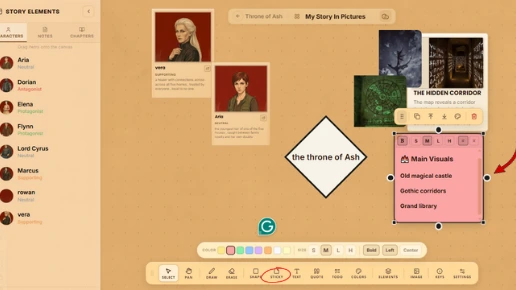
💡 Tip: You can move sticky notes around your board as your ideas develop, making them useful for rearranging plot points or grouping related thoughts.
Step 5: Mix Different Content
Combine images, Polaroids, sticky notes, and other content on one board. Create a layout that reflects your creative process.
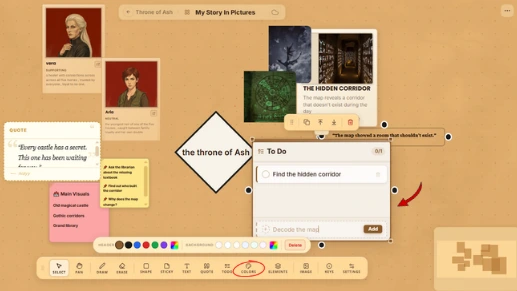
Step 6: Create Story Connections
Connect visual elements to characters, locations, or other story elements. This helps link inspiration directly to your novel.
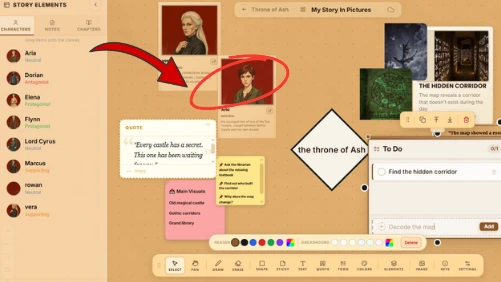
Step 7: Customize the Background
Choose a background that matches your story's atmosphere. Change it whenever you want to refresh the mood of your board.
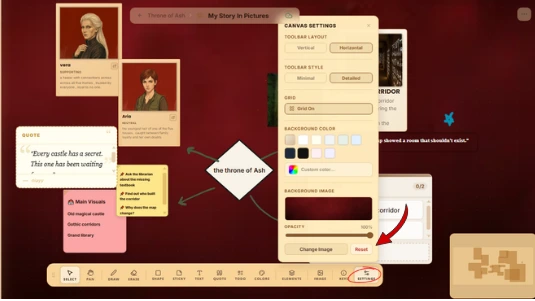
💡 Tip: Use the connection arrows already available in the Moodboard to visually connect related images, notes, characters, locations, or other story elements.
Step 8: Organize Your Moodboard
Move and group elements to create a clean, useful layout. Keep related ideas together so everything is easy to find while writing.
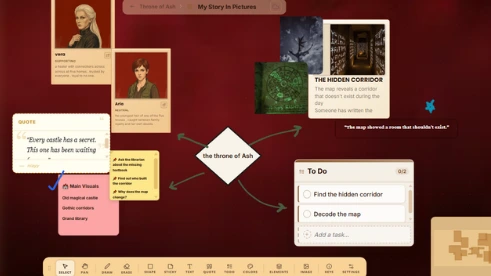
💡 Tip: Use the Pan option to move around the canvas and easily arrange your moodboard elements into groups. Keep related ideas close together for a cleaner layout.

WriteO Team
Crafting stories that bridge the gap between imagination and reality.