
WriteO Learning Guide: Set Up Your Book in Book Designer (Part 1 of 3)
Video walkthrough: set up your book in WriteO Book Designer (Part 1 of 3)
Turn your finished manuscript into a polished, well-structured book with WriteO Book Designer. This first guide covers the setup: page size, chapter order, fonts, page numbers, and a free preview of how it all looks.
1. Start a Book Design
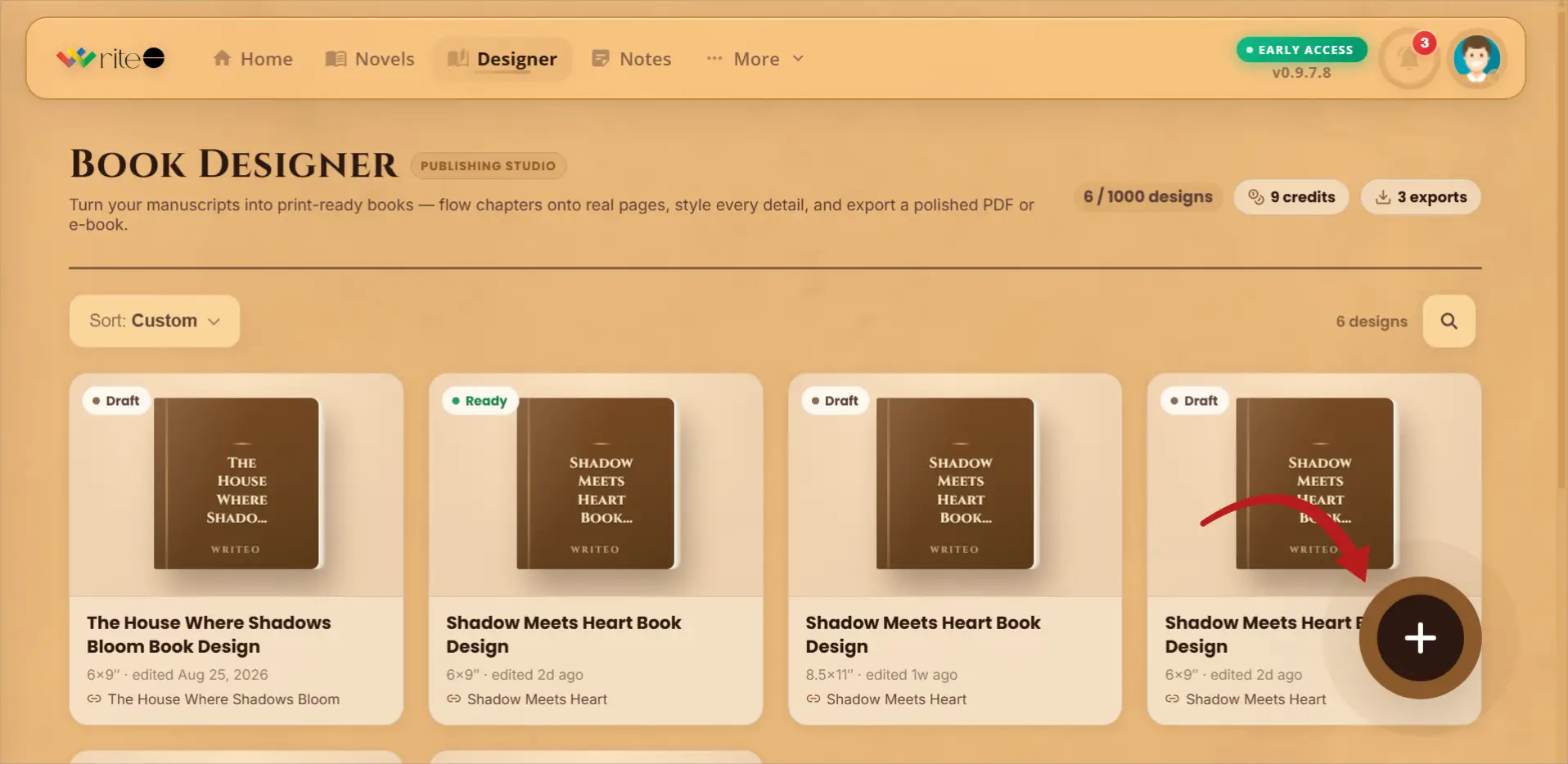
Create a new design and select the novel you want to turn into a book.
Steps
Open Book Designer.
Click New Design. The "Set up your book" wizard opens.
On the Source step, select your manuscript and click Continue.
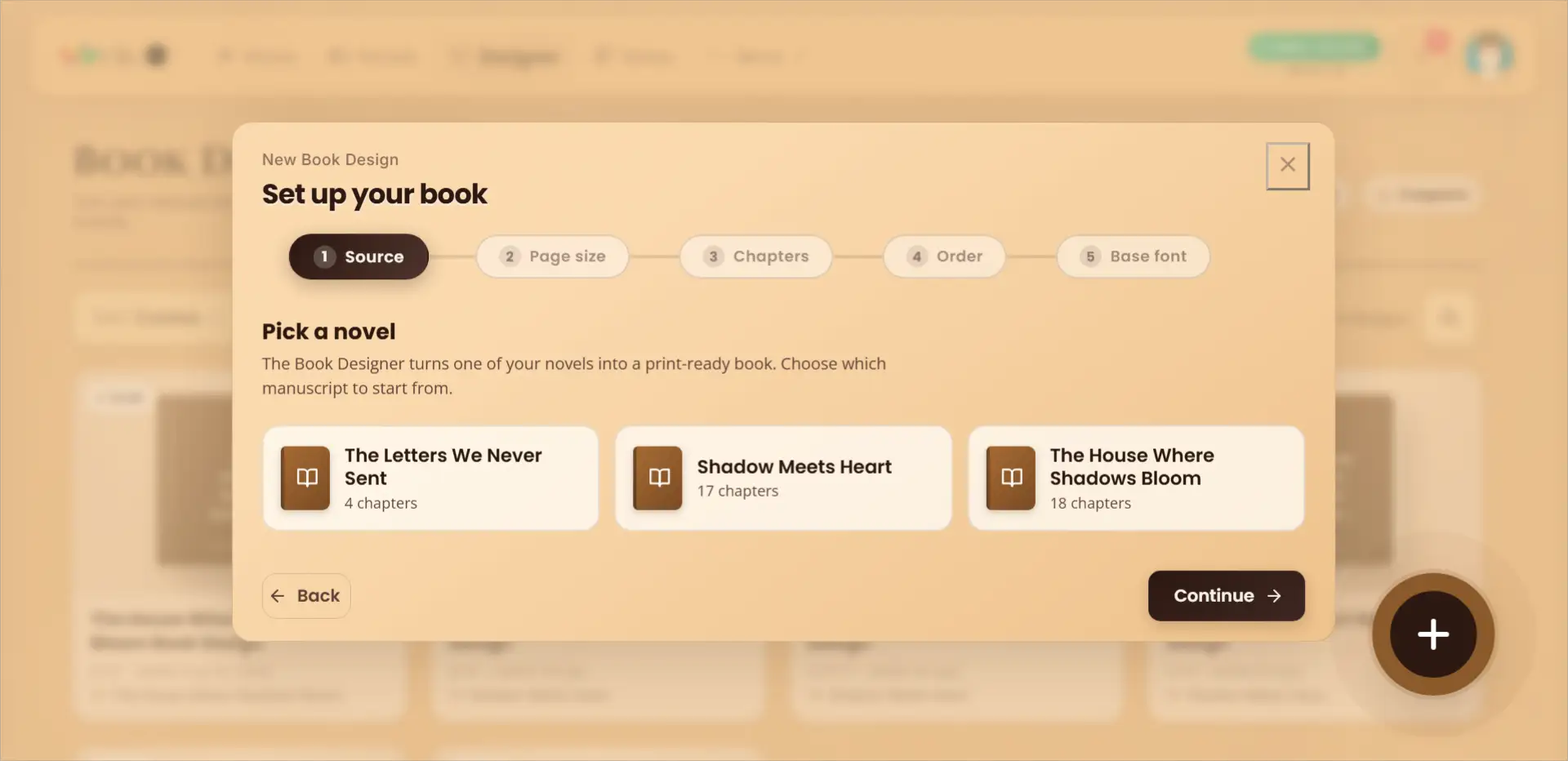
Tip: Choose the completed manuscript you want to format. You can always return and make changes to your novel later.
2. Choose Your Page Size
The page size sets the physical dimensions of your finished book. You choose it on the Page size step of the setup wizard.
Steps
On the Page size step, pick a size.
Click Continue.
Available page sizes: Pocketbook (4.25 x 6.87), US Trade (5 x 8), Digest (5.5 x 8.5), Trade (6 x 9), Royal (6.14 x 9.21), A5 (5.83 x 8.27), US Letter (8.5 x 11), or a custom size your printer quotes.
You can change the size later in Settings → Page. Changing it reflows the whole book, so check your layout afterwards.
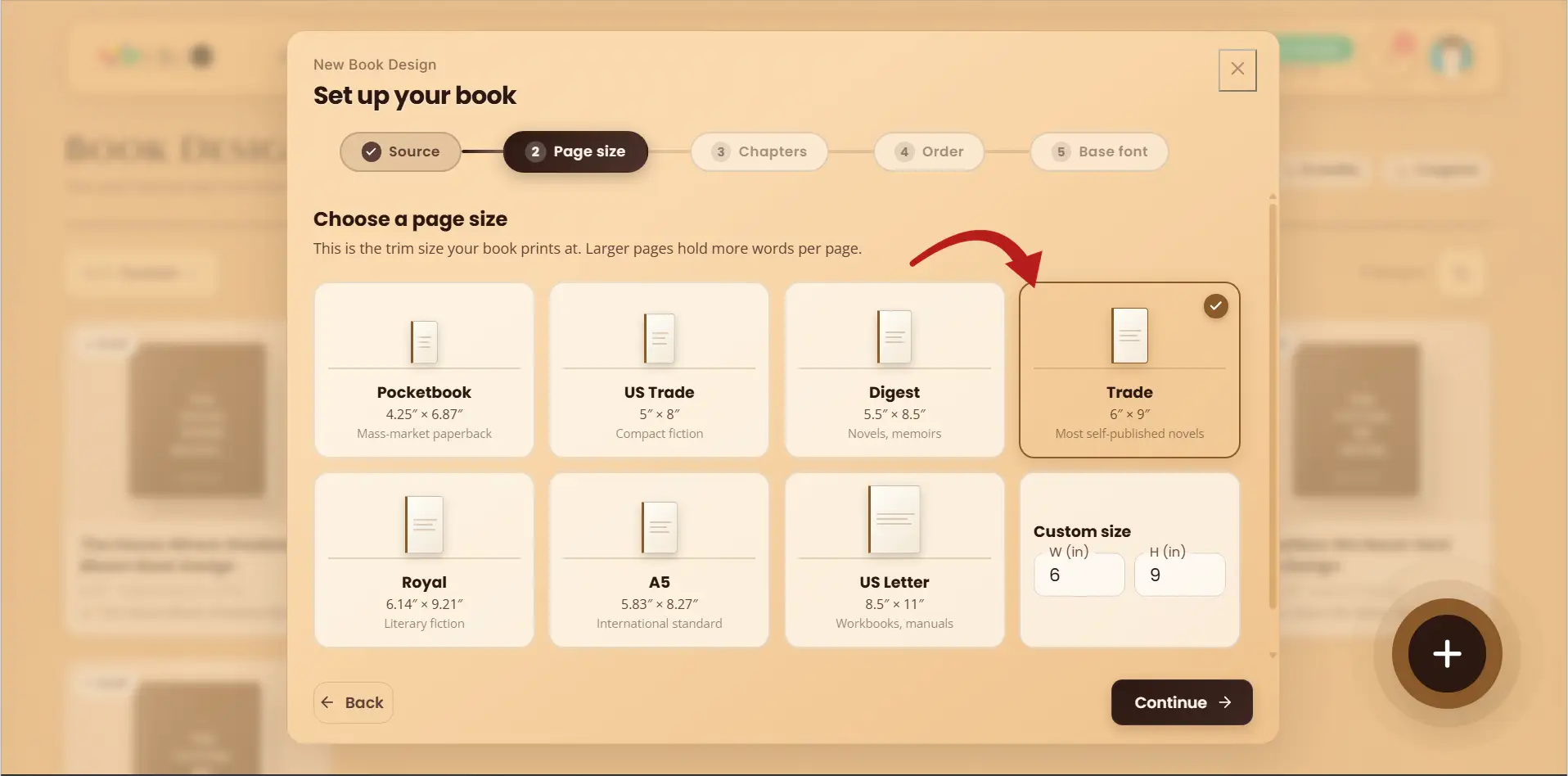
Tip: For a traditional novel, choose a standard book size rather than an unusually large format.
3. Choose and Arrange Your Chapters
Pick which chapters go into the book, then set the order they appear in.
Steps
On the Chapters step, tick the chapters you want to include, then click Continue.
On the Order step, drag a chapter or use the arrows to set the reading order. Each chapter starts on a new page.
Click Continue.
You can reorder chapters later from the Chapters panel in the editor.
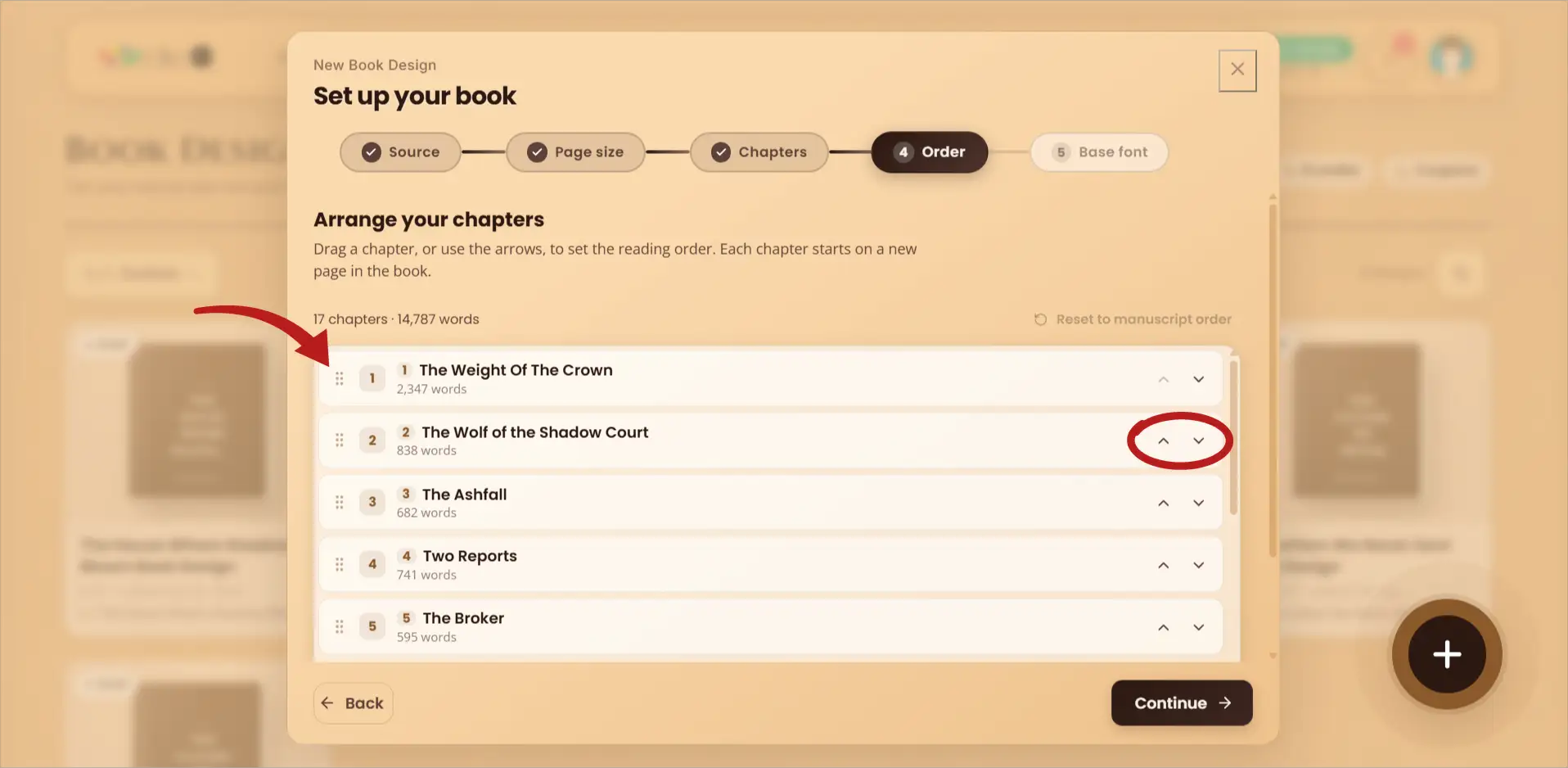
Tip: Check your chapter list before continuing to make sure nothing is missing.
4. Choose Your Base Font
Your base font controls the main typography used throughout the book.
Steps
On the Base font step, pick one of the 30 built-in fonts, or search for one.
Click Create design.
You can fine-tune fonts, spacing and styles later in the editor, and you can upload your own fonts. Custom font uploads are free on every plan.
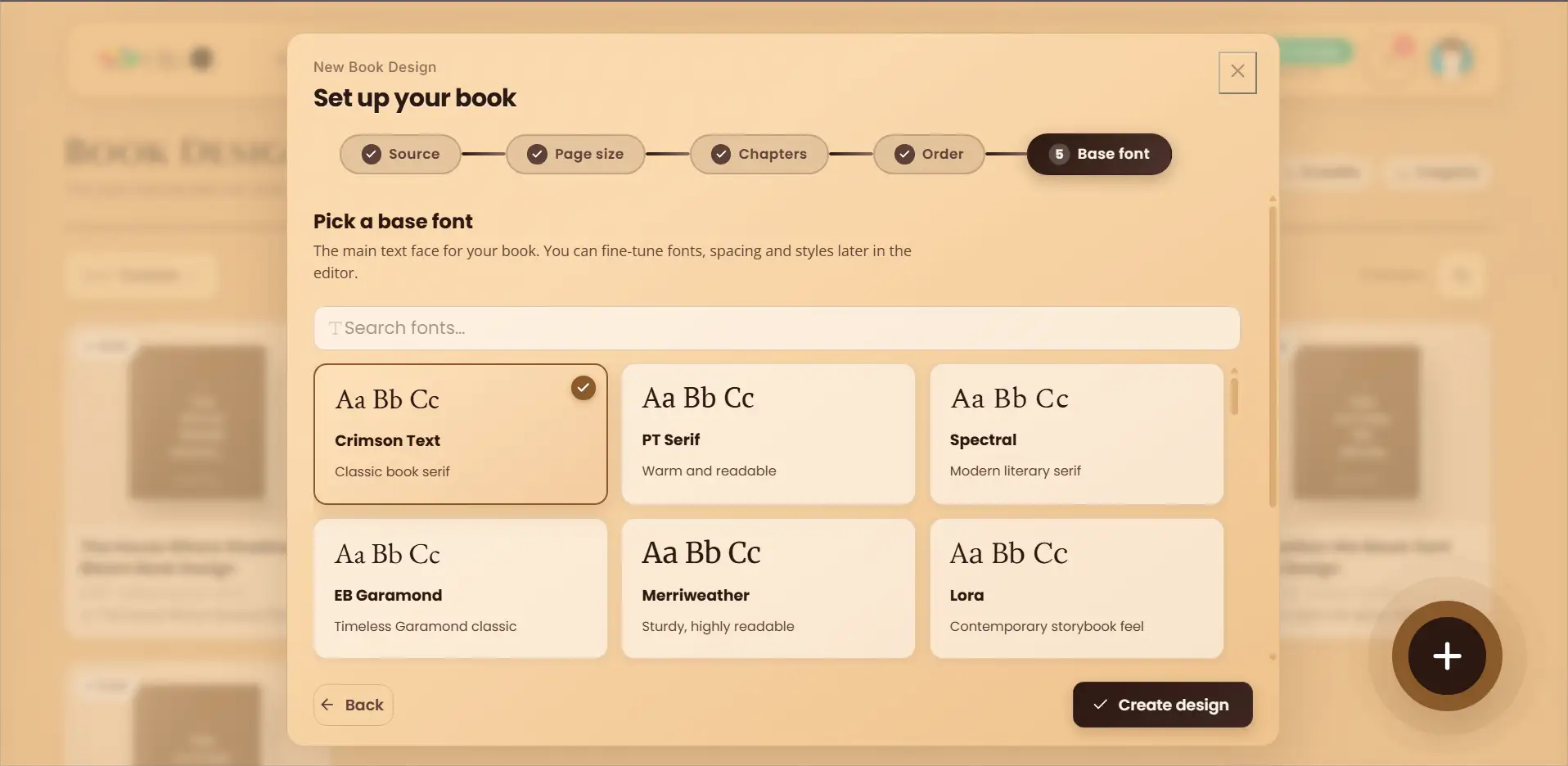
Tip: Pick a font that is easy to read for long passages. Decorative fonts are usually better suited to titles and special elements.
5. Manage Page Numbers, Headers & Footers
Use Page numbers and Headers & footer in Settings to customize these recurring page elements.
Steps
Open Settings.
Select Page numbers to configure numbering.
Open Headers & footer to customize headers and footers.
Check different pages for consistency.
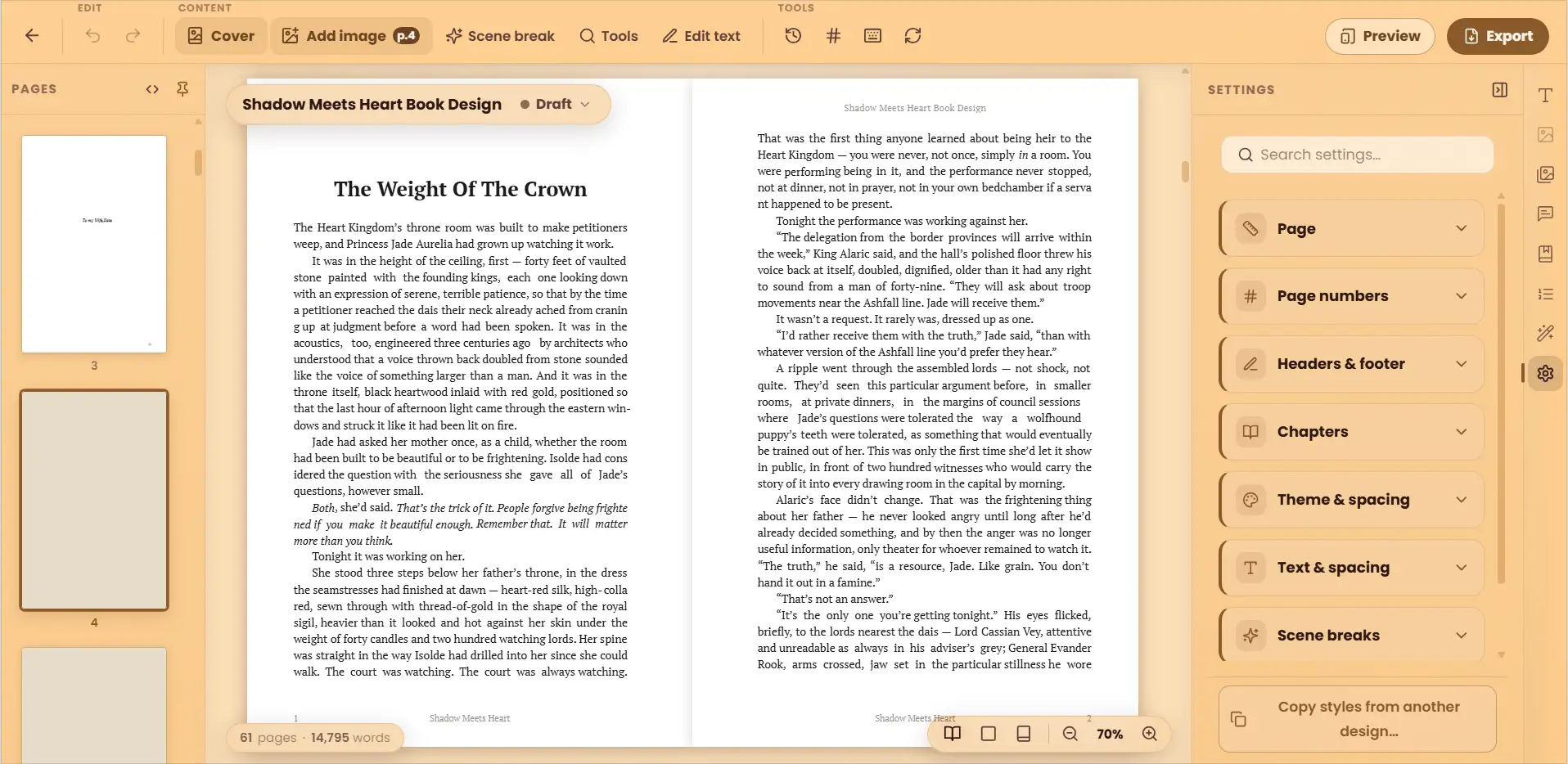
Tip: Keep your design consistent. Using the same typography, spacing, and chapter style throughout the book creates a more professional result.
6. Review Your Book
Before finishing your design, review the complete book.
Check:
Page layout
Page numbers
Headers and footers
Chapter order
Typography
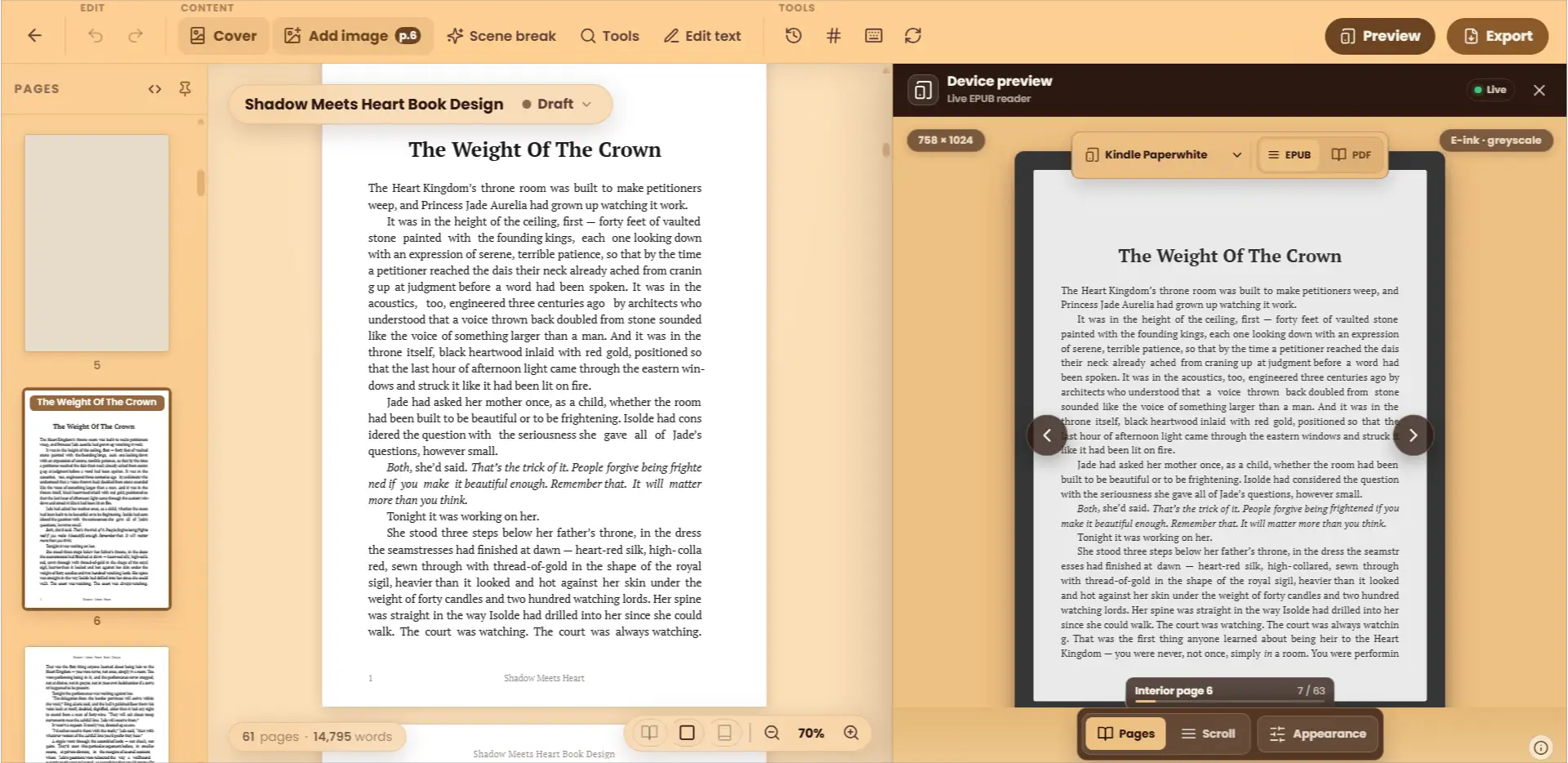
Tip: Always preview the entire book before finalizing it. Small formatting issues are much easier to catch here.
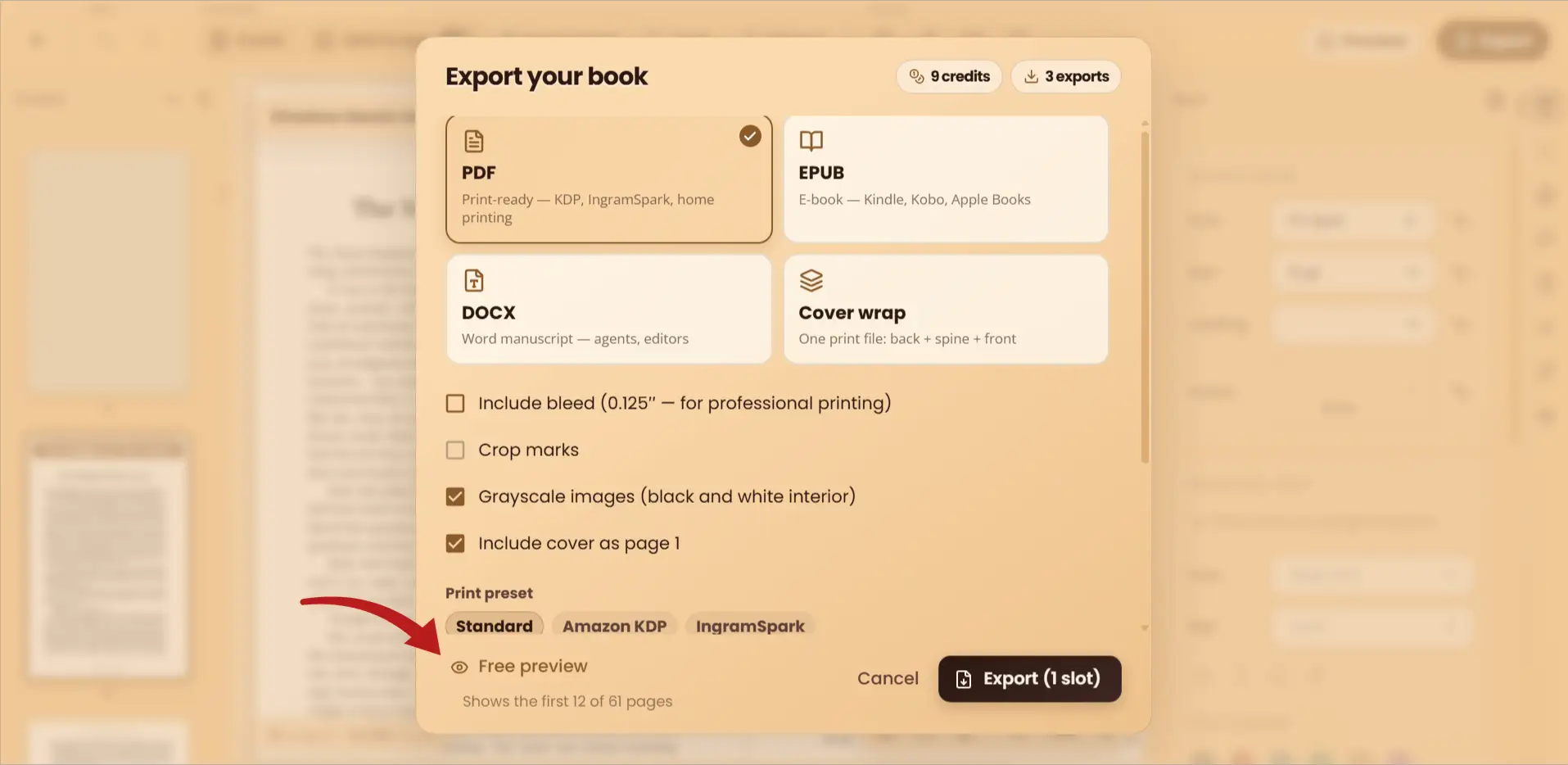
7. Preview Your Book for Free
Generate a watermarked preview so you can read your opening pages as a real book before spending anything.
Steps
Open the Export modal.
Choose the free preview option.
Open the PDF and read it as a reader would.
The preview covers the first 12 pages, is watermarked, and does not use an export credit.
Quick Checklist
☐ Create your book design
☐ Choose your page size
☐ Choose and order your chapters
☐ Choose your base font
☐ Configure page numbers
☐ Customize headers & footers
☐ Review the finished layout
☐ Generate a free preview
Next: Guide 2 covers front and back matter, images and two-page spreads, scene breaks and drop caps.
Frequently Asked Questions
QDoes designing a book cost anything?
No. Creating a design and generating the watermarked preview are free. You only need export credits when you export a finished file.
QWhich page size should I pick?
6 x 9 suits most self-published novels, 5 x 8 works for compact fiction, and 5.5 x 8.5 is common for novels and memoirs. You can also enter a custom size your printer quotes.
QCan I change the page size or font after I start?
Yes. Page size and base font are whole-book settings, so changing one updates every page rather than just the section you are looking at. Changing the page size reflows the whole book, so check your image placement afterwards.
QWhat happens if I edit my novel after creating the design?
Your design keeps its own copy of the text, so nothing changes automatically. When the linked novel changes, WriteO shows a sync banner and you choose whether to pull the updates in.
Arya Quinn
Arya Quinn is a fantasy romance writer and the kind of reader who finishes a book and immediately needs to talk about it...