


You get a perfect plot twist while showering or brushing your teeth, so you type it into your phone. Another idea goes in the margin of a printed chapter. A third lands in a document called "novel stuff FINAL (2)." Three weeks later, you can't find any of them.
The problem isn't your memory. Your ideas have no home.
A novel has hundreds of moving parts: characters, timelines, magic rules, secrets, foreshadowing, half-formed scenes. Without a system, those parts drift apart, and that's where plot holes and continuity errors creep in.
You don't need a complicated system. You need two kinds of notes, a few smart habits, and a tool that keeps everything connected. Here's how to build that, using the notes editor in WriteO as our example.
Two Kinds of Notes Every Novelist Needs
Global notes belong to the whole novel. They're your story's encyclopedia: worldbuilding rules, character bibles, the overall timeline, themes, and anything that can never be contradicted.
Chapter notes belong to one chapter. They're sticky notes on a single page: scene beats, things to fix, foreshadowing to plant, continuity checks, and loose ends.
When you're unsure which one you're writing, ask:
"Will I need this beyond one chapter?"
Yes means global. No means chapter. That one question keeps your notes clean for the whole project.
The Anatomy of a Good Note
How you set up a note decides whether you can find it later.
Title
Every note starts as "Quick Note." Don't leave it that way. Your title is your first search shortcut.
❌ "Ideas"
✅ "How the Shadow Court's magic works"
Pro tip: Prefix titles so they scan well: CH4 |, WORLD |, CHAR |. For unresolved ideas, write the title as a question ("Why does Elara trust him?"). It turns the note into a puzzle your brain wants to solve.
Status
Status (like To Do) separates notes you need to act on from reference material. Filtering by To Do gives you an instant task list for your novel.
Pro tip: No note should stay To Do for more than two writing sessions. Either finish it, or lower its priority.
Tags
Tags are your personal labels, and they can be far more specific than categories.
Pro tip: Create a continuity tag for details that must never contradict (eye colors, scars, dates). Use orphan-idea for ideas with no home yet and review them monthly. Add emotion tags like tension or heartbreak so you can later find every emotional beat in the book. Cap yourself at 10 to 15 tags, because ten consistent tags beat fifty random ones.
Category
The category (like World) is the drawer the note lives in: World, Plot, Character, and so on. It gives you a bird's-eye view. If your World drawer is overflowing and your Plot drawer is empty, you've learned where to focus.
Priority
Priority answers one question: how soon does this matter?
Pro tip: Allow yourself only three High notes at a time. Mark a note High only if it blocks the next chapter, and Low if it only improves polish. If everything is urgent, nothing is.
The word limit
See the 1 / 500 words counter? It's a feature. It pushes you toward the golden rule: one idea per note.
Pro tip: Aim for around 100 words on quick notes, and if you hit 400, split the note. For longer notes, start with a one-sentence summary at the top.
Linking: The Superpower
Linking is what turns a pile of notes into a system. The lower sidebar has three options.
Link Novel attaches the note to the right project, so your fantasy worldbuilding never gets mixed into your contemporary romance.
Link Characters attaches the note to one or more characters. A note about a secret someone is hiding shows up on that character's profile, so you never have to remember where you wrote it.
Link Chapters ties a note to specific chapters, so feedback and fixes appear exactly where you need them.
Here's how linking creates your two note types:
Global note: linked to the novel (and maybe characters), but no chapter.
Chapter note: linked to the novel and one or more chapters.
No separate tools needed. The links decide how the note behaves.
Linking power moves
Link several characters to one note to capture relationships, shared secrets, and conflicts.
Link several chapters to follow a motif or foreshadowing thread from setup to payoff.
Link a chapter and a character together to log what that character knows at that exact point in the story.
Writing the Note: Using the Toolbar
The toolbar makes notes readable at a glance. Here are the basics, plus some creative uses.
Headings: break longer notes into sections.
Bold and highlight: bold key facts. Use highlight for just one thing per note, so it truly stands out.
Bullets and numbered lists: bullets for brainstorming, numbers for sequences like the order of events in a scene.
Quote block: save a line of dialogue, or the tone a scene should echo.
Table: perfect for a secrets tracker (secret, who knows, chapter revealed) or a timeline (date, event, chapter).
Code block: not just for programmers. Use it for invented languages, spell incantations, or naming patterns.
Link, preview, and image: add references and mood boards. The preview and image buttons carry a small lock icon, which marks them as premium features.
Two small details help too. The Saved indicator at the top confirms your work is safe, and the pin icon keeps your most important notes within reach.
Pro tip: Pin a "story compass" note containing your theme, core conflict, and the feeling you want the ending to leave. Pin your current chapter goals while drafting, then unpin them when you're done.
A Workflow for Chapter Notes
Use chapter notes at three points in your process.
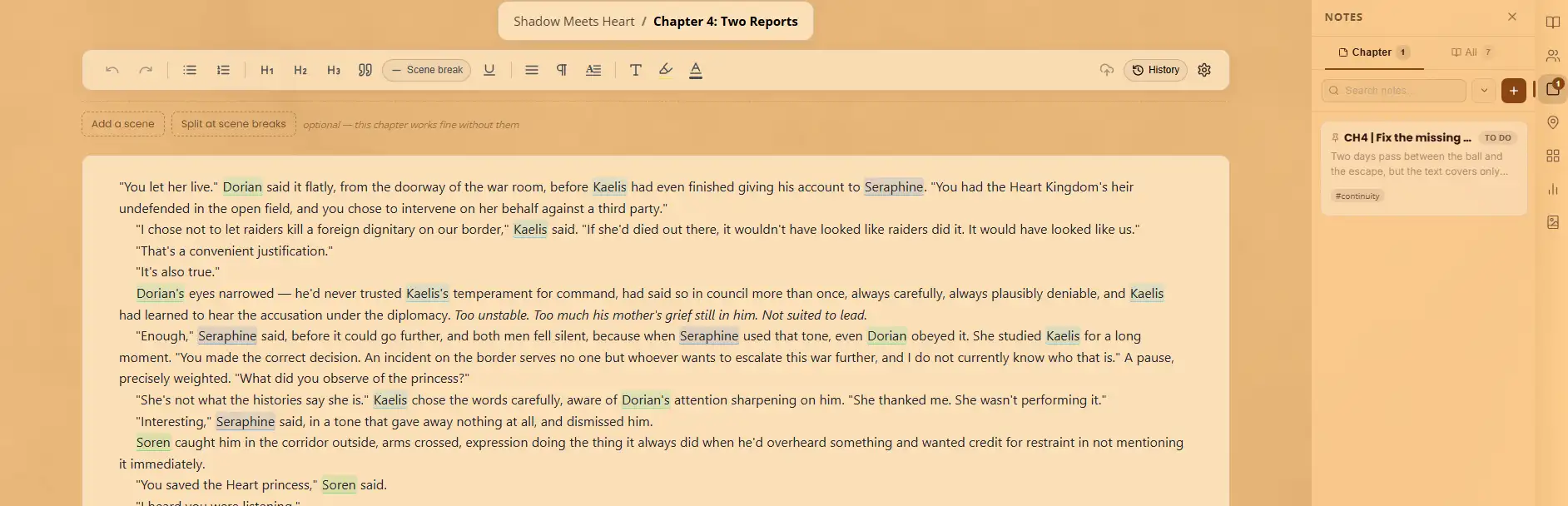
Before you write. Create a note like "CH4 | Goals" and answer three questions: What does the main character want? What stands in their way? How does the chapter end, and what has changed? Link it to the chapter and set the status to To Do.
While you write. You'll spot problems mid-scene: a name to change, a detail that contradicts an earlier chapter. Don't stop to fix them. Capture each one, tag it “revise-later”, and keep writing. Better yet, keep one "fix later" note per chapter instead of scattering mini-notes everywhere.
After you write. Create a closing note covering continuity checks (what must stay consistent), loose ends (open questions), and setup for the next chapter. Then update the status of your earlier notes so your To Do list reflects reality.
Example chapter note
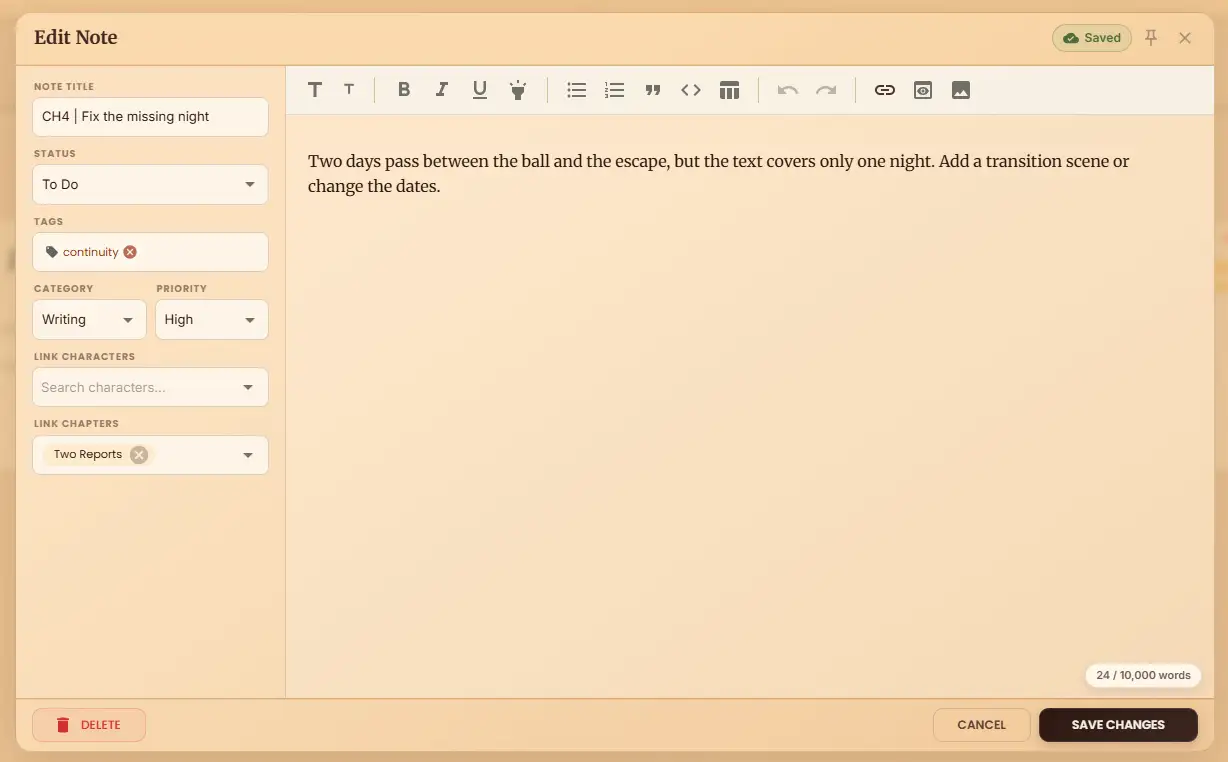
Title: CH4 | Fix the missing night
Status: To Do
Category: Writing
Priority: High
Linked: Two Reports (Chapter 4)
Content: "Two days pass between the ball and the escape, but the text covers only one night. Add a transition scene or change the dates."
A Workflow for Global Notes
Global notes are your story's foundation, so give them a little more care.
Start with the rules. Before drafting much, create notes for the things that must stay consistent: how magic works and what it costs, who rules and who's rebelling, each character's goals and secrets, and what the story is really about.
Keep them small and separate. Instead of one giant "Worldbuilding" note, write focused ones: "Magic system," "Kingdom politics," "Geography," "Religion." Small notes are far easier to update.
Keep them alive. If a rule changes in Chapter 15, change the global note too, so your future self isn't confused.
Example global note
Title: WORLD | Kingdom politics
Category: World
Priority: High
Linked: Novel, plus the key characters involved
Content: A bulleted list of who holds power, who wants it, and what each side will sacrifice.
Note Types Worth Creating
Beyond the usual outlines and bibles, a few specialized notes quietly save novels.
"What does X know?" notes: track who knows which secret and when. These prevent the classic mistake of a character acting on information they haven't learned yet.
"Promise" notes: list what you've promised the reader (a mystery, a romance, a threat) so every promise gets paid off.
"Rule-breaker" notes: record exceptions to your world rules and why they exist.
"Deleted darling" notes: paste your cut lines and scenes here, so cutting them never feels like losing them.
"Reader emotion" notes: write how you want the reader to feel at the end of each chapter.
"Sensory palette" notes: collect the smells, sounds, and textures of a setting.
"Character voice" notes: linked to a character, with sample lines, speech habits, and words they would never say.
Habits That Stick
A system only works if you use it. These small habits make it stick.
The five-minute rule: after each writing session, spend five minutes creating notes for tomorrow.
End mid-sentence: stop in the middle of a thought and leave a chapter note on what comes next. Starting tomorrow becomes effortless.
Weekly review: scan your To Do notes, update priorities, and delete what's stale.
Review global notes before each new act of the story, so the rules stay fresh.
Using Notes in Revision
When the first draft is done, your notes become a revision toolkit.
Filter by tag (continuity, plot-hole) and fix one type of problem at a time.
Use status as a checklist, moving notes from To Do to done as you edit.
Read every note linked to one character in a row to check their arc stays consistent.
Tips by Writer Type
Plotters: write all your chapter goal notes before drafting.
Pantsers: write notes after each chapter to reverse-engineer an outline as you go.
Series writers: keep one "series bible" note per book, linked to the characters who carry across.
Common Mistakes to Avoid
Giant, mixed-up notes. One note with plot ideas, character details, and a grocery list is useless. Keep it to one idea per note.
Leaving everything as "Quick Note." Ten identical titles are impossible to tell apart.
Never updating status or priority. If everything stays To Do forever, you'll stop trusting the list.
Skipping links. An unlinked note is a lost note.
Marking everything High. Save it for what truly blocks you.
Over-noting and hoarding. If you spend more time organizing than writing, or keep notes you'll never use, simplify.
Contradicting yourself across notes. When a decision changes, update the older note too.
Recording the what but not the why. Always note why you made a decision. In the future you will thank yourself.
Your Quick-Start Checklist
Run through this every time you create a note. It takes under a minute.
Title it clearly.
Categorize it (World, Plot, Character).
Set the priority honestly.
Link it to the novel, plus characters or chapters.
Write it as one focused idea.
Save it and check for the "Saved" indicator.
Conclusion: A Novel You Can Navigate
Writing a novel is hard enough without hunting for your own ideas. Global notes hold the big picture, chapter notes hold the details, and smart linking connects them all, so every thought has a place to live.
You don't need to organize everything today. Start with one global note about your world's most important rule, and one chapter note for the scene you're writing right now. Link them, save them, and keep going. The system grows with your story.
Ready to try it? Open the notes editor in WriteO, create your first note, and give your best ideas the home they deserve.