

Is Google Docs Good for Novel Writing?
At some point almost every novelist ends up here. You open a blank Google Doc, type "Chapter One," and just start. It's free, it's already open in a browser tab, it saves itself, and you can access it from your phone at 2am when a line finally comes to you. So the question isn't really whether Google Docs can be used to write a novel. Obviously it can. People have written full manuscripts in it, published them, sold them. The real question is whether it's actually good at the job, or just available for it.
Those are two very different things, and the gap between them is where a lot of writers end up frustrated around chapter fifteen.
What Google Docs Is Actually Built For
Google Docs was designed as a general-purpose word processor for collaborative work documents. Reports, proposals, shared notes, meeting minutes, the occasional resume. It's genuinely excellent at that job. Real-time collaboration, painless sharing, comments that don't get in the way, version history that quietly saves you when you delete the wrong paragraph. None of that is an accident. It's built around short-to-medium documents that a handful of people read and edit together, then move on from.
A novel is a completely different kind of object. It's long. It has structure that spans hundreds of pages instead of five. It has characters who need to stay consistent for months or years of writing. It has a plot that branches and loops back on itself. It has scenes that live inside chapters that live inside acts, and all of that needs to be visible and manageable at the same time, not just typed out in a straight scroll from top to bottom.
Google Docs has no concept of any of that. To Google Docs, your entire novel is just one really, really long piece of text. That's the root of almost every problem writers run into with it.
The Scrolling Problem
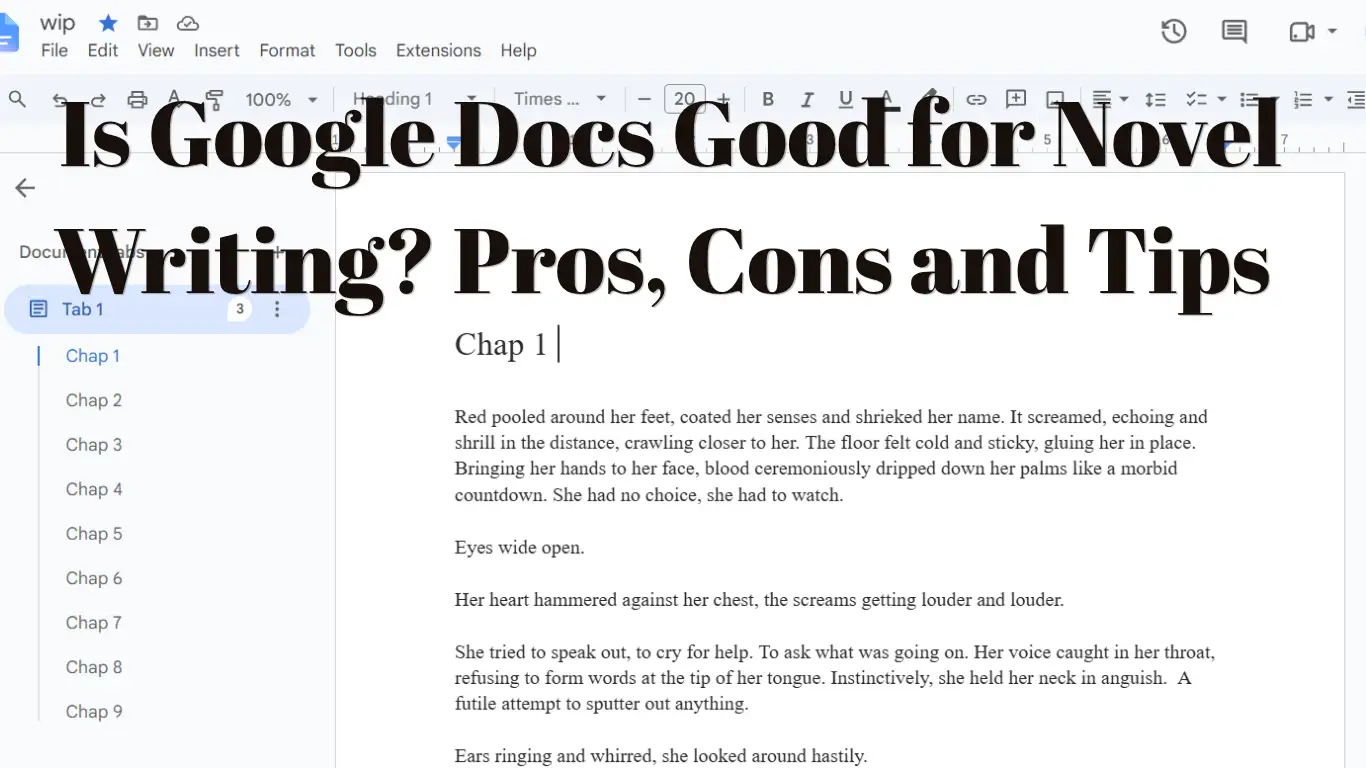
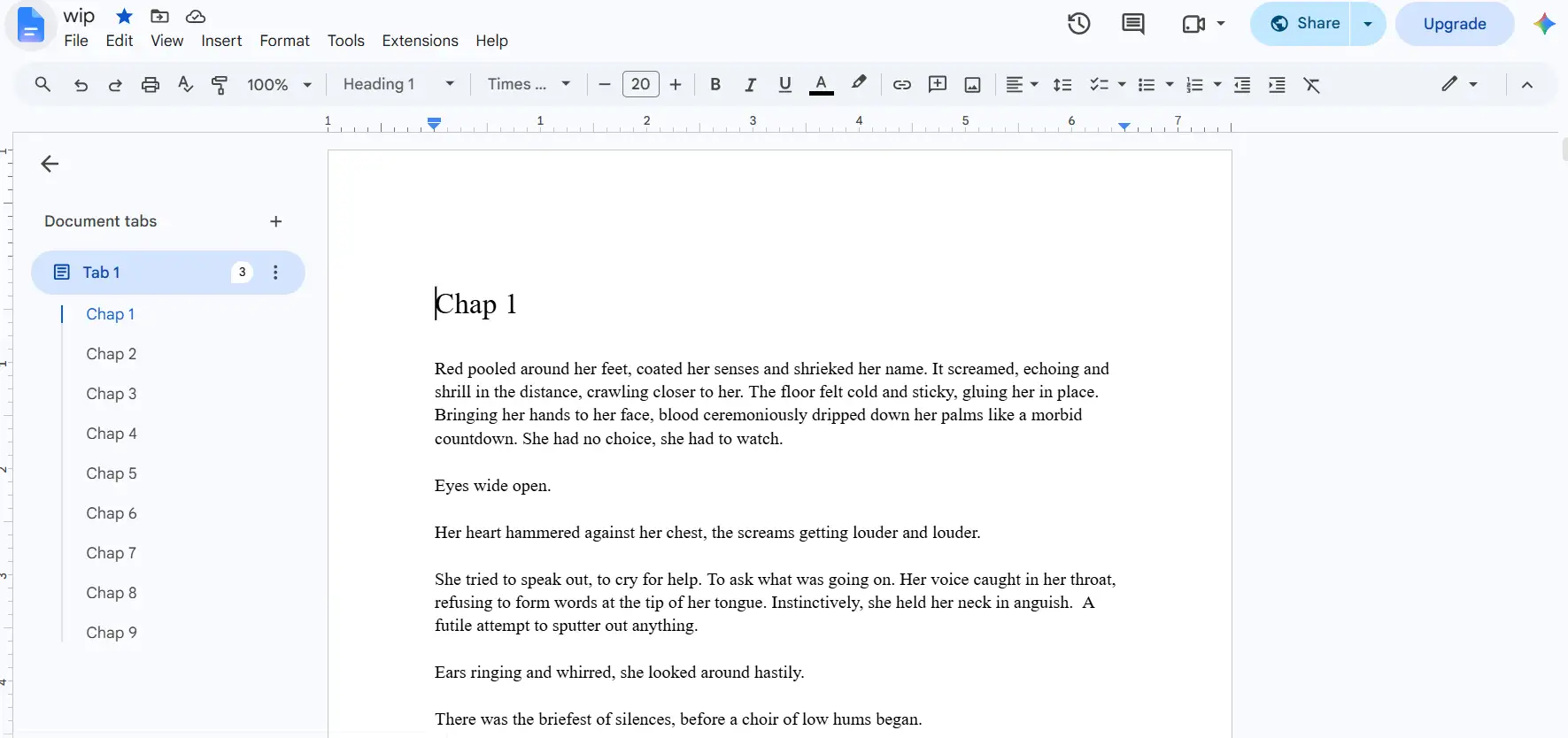
Ask any writer who's tried to draft a full manuscript in Docs about scrolling and you'll get a reaction. Somewhere around 40,000 or 50,000 words, the document stops feeling like a manuscript and starts feeling like an abyss. Want to check how you described a character's eyes back in chapter three? Scroll. Want to check whether you already used a particular plot detail? Scroll, or Ctrl+F and hope the search term matches exactly what you typed months ago. There's no chapter view, no way to jump straight to a scene, no outline panel showing you the shape of the whole book at a glance unless you very manually build one out of the heading styles, which most people don't bother doing until they're already in pain. Google did add Tabs in 2024, so you can now split a manuscript into chapter tabs inside one document, which helps. But tabs are just containers. They don't know what a scene is, who's in it, or where it sits in your plot.
Compare that to something built for long-form fiction, where you can see your whole outline in a sidebar, click a scene, and land exactly there. Google Docs makes you work for that, and eventually the friction adds up to real lost time. Not "the writing is hard" time, which is unavoidable and fine, but "I spent ten minutes scrolling to find something I wrote three weeks ago" time, which is just waste.
No Real Sense of Structure
Novels aren't just long, they're structured. Scenes belong to chapters. Chapters belong to parts or acts. Subplots need to be tracked separately from the main plot even while they're woven into the same document. Character arcs need to be checked against where a character currently is in the timeline. None of that structure exists natively in Google Docs. You can fake some of it with headers and a table of contents, but faking structure is not the same as having tools built around it.
This becomes a real problem the moment your story gets complicated enough to need tracking. Say you're juggling three POV characters and you want to see how their arcs interleave. In Docs, that means scrolling through the whole manuscript, mentally tagging which sections belong to which character, maybe keeping a separate spreadsheet open in another tab just to keep it all straight. That's not really Google Docs helping you write a novel. That's you building your own novel-writing tools around Google Docs because it isn't giving you any.
Where It Genuinely Shines
None of this means Docs is a bad choice across the board, and it would be dishonest to pretend otherwise. For short fiction, for early drafting of a single scene, for jotting ideas before you've committed to a structure, it's fantastic. The zero-friction "just open it and type" quality is real and valuable, especially in the fragile early stage of a project when overthinking your tools can kill momentum before the writing even starts.
It's also genuinely great when a novel needs outside eyes. If you're sending chapters to a critique partner or an editor and you want live comments and suggested edits, Docs handles that better than almost anything built specifically for fiction. Suggesting mode, inline comments, resolving suggestions, all of that collaborative machinery is mature and reliable, because collaboration was the actual point of the tool from day one.
And the auto-save and cross-device syncing genuinely matters for a lot of writers. Being able to open the same document on a laptop, a phone, a borrowed computer at a library, without ever thinking about files or backups, removes a category of anxiety that used to plague writers using older desktop word processors. That's not nothing.
The Real Trade-off
So the honest answer isn't "Google Docs is bad for novels." It's that Google Docs is a document tool being asked to do a novel-writing tool's job, and it does that job the way any generalist does a specialist's work: competently, but with visible seams. It'll get you a finished draft. It just won't help you plan the draft, track your plot threads, keep your timeline straight, or manage a large cast of characters, because none of that was ever what it was built to do.
The writers who struggle least with Docs tend to be the ones writing shorter, simpler, single-POV books where the whole story can basically live in their head without much external tracking. The writers who struggle most are usually working on something with real structural complexity, multiple threads, a big cast, or a long runtime, where the lack of built-in organization stops being a minor annoyance and starts actively working against the writing itself.
How to Make Google Docs Work for a Novel
If you're sticking with Docs, and plenty of writers should, a few habits remove most of the pain.
1. Use heading styles for every chapter
Format each chapter title as Heading 1 and each scene break as Heading 2. Then open View > Show outline, and you get a clickable sidebar that jumps to any chapter. It takes five minutes to set up and saves hours of scrolling.
2. Put chapters or acts in tabs
One tab per chapter, or one per act with chapters nested underneath, keeps the book in a single file without making it one endless scroll.
3. Watch the document size
A single Google Doc caps out at 1.02 million characters. Most novels fit, but long epic fantasy can get close, and very long documents often start to lag well before the limit. If typing starts to stutter, split the book into one document per act.
4. Keep a story bible in a separate doc
Characters, locations, timeline and world rules belong in their own document, not buried in comments. Our guide on how to build a story bible covers what to put in it.
5. Name your versions
Version history saves on its own, but File > Version history > Name current version lets you mark milestones like "Draft 1 complete" so you're not digging through hundreds of autosaves later.
6. Turn on offline mode before you need it
Enable offline access in Google Drive settings (Chrome or Edge). Otherwise the first time you try to write with no signal, the doc won't open.
7. Show your word count while typing
Open Tools > Word count (Ctrl+Shift+C) and tick "Display word count while typing." A running count in the corner keeps daily goals honest.
8. Give beta readers Commenter access
They can leave notes and suggest edits without accidentally rewriting your chapter.
Signs You've Outgrown Google Docs
You keep a spreadsheet open next to your manuscript to track who knows what.
You've searched for a character's eye colour more than once.
Moving a chapter means cutting and pasting thousands of words.
The document lags when you type.
Your notes are split across comments, a second doc and your phone.
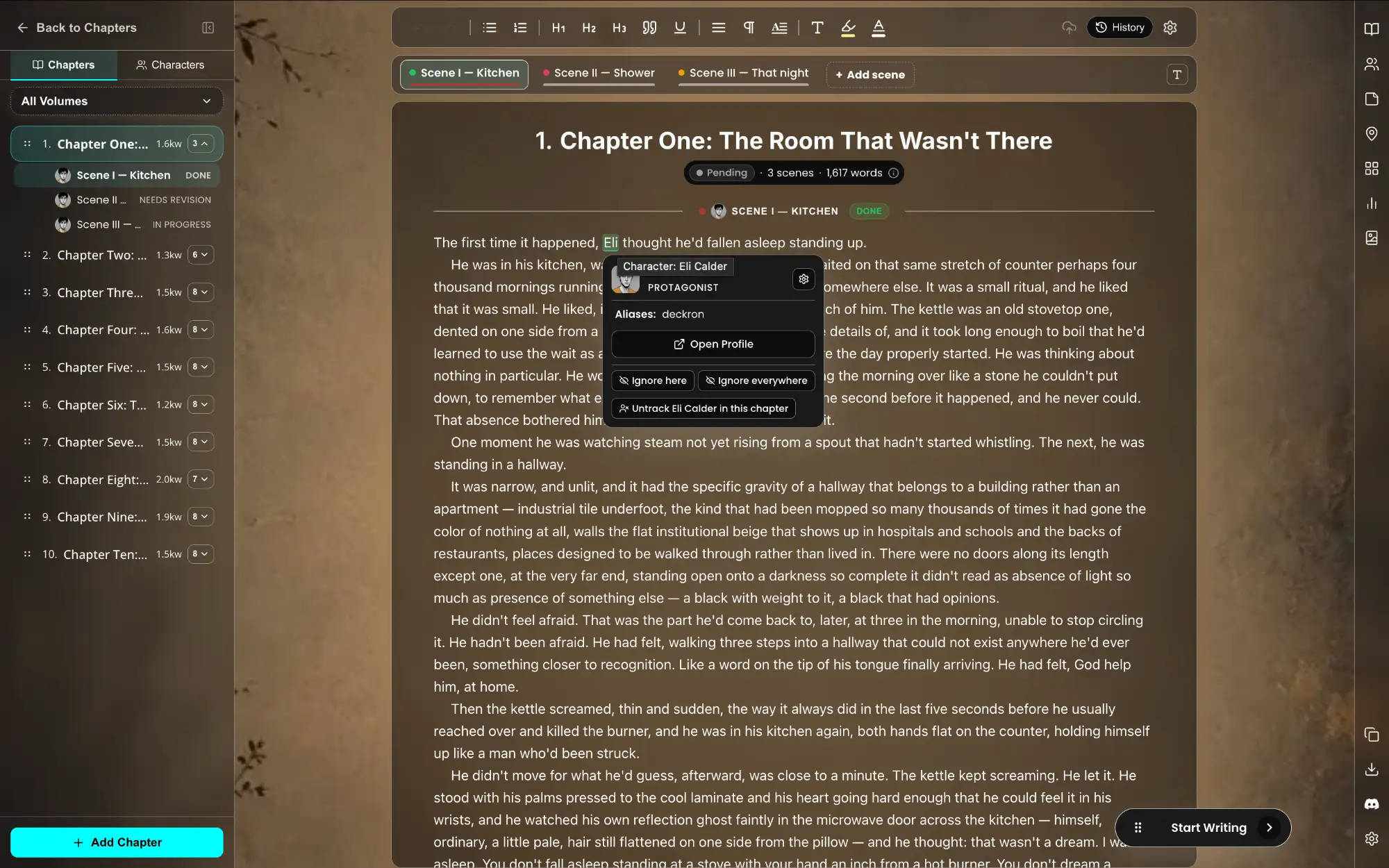
If three or more of those sound familiar, the tool has become part of the problem. That gap is what WriteO was built for. Chapters live in a sidebar you can reorder with drag and drop, grouped into volumes if your story spans several arcs. Character profiles sit alongside the manuscript. Character names are highlighted automatically in the editor, and hovering over a name shows who that person is without leaving the page. The relationship map shows how your cast connects, notes can be pinned to a specific chapter, and writing goals track your daily word count. Google Docs exports to .docx, so you can import the manuscript you already have instead of starting over.
For a wider comparison, see our roundup of free Scrivener alternatives for novelists.
What This Means for Choosing Your Tool
If you're early in a project, or writing something short and contained, there's genuinely no reason to overthink this. Open a doc and write. Don't let tool anxiety become another form of procrastination, which happens to writers constantly.
But if you're working on something bigger, something with subplots and a large cast and a timeline that spans a long stretch of story, it's worth asking whether the tool you're using is actually built to hold all of that, or whether you're quietly rebuilding a plotting system out of headers, colored text, and a separate spreadsheet just to keep up with your own story. That's usually the moment worth stopping and considering a tool actually built around outlining, plotting, and scene-level organization for fiction specifically, rather than one built for shared work documents that happens to also let you type a novel into it.
Google Docs will never stop you from finishing a novel. It just won't do much to help you finish a good one faster or with less mental overhead than you'd otherwise need. Whether that trade-off is worth it really just depends on how big and how tangled the story in your head already is.
Frequently Asked Questions
QCan you write a whole novel in Google Docs?
Yes. Many writers have drafted and published full novels in Google Docs. It works best for shorter, single-POV books; complex plots with large casts are harder to manage.
QIs there a word limit in Google Docs?
A Google Doc can hold up to 1.02 million characters, which is roughly 170,000 words depending on word length. Long documents often slow down before reaching that limit.
QHow do I organise chapters in Google Docs?
Format chapter titles as Heading 1 and open the document outline, or use tabs to give each chapter or act its own section inside one document.
QCan I write in Google Docs offline?
Yes, if you turn on offline access in Google Drive settings beforehand. It works in Chrome and Edge.
QIs Google Docs or Scrivener better for writing a novel?
Google Docs is better for collaboration and access from any device. Scrivener is better for structure but costs $59.99 and has a steeper learning curve. Novel-specific web apps like WriteO sit between the two.